YouTube video downloader

From link to MP4.
No detours.

Telly Welcome in. Hand me a link and we'll go straight to the video.

Paste the link to a public YouTube video or Short, up to an hour long, and keep it as an MP4 file. It comes in up to 1080p unless you pick 720p or 360p for something lighter, and Audio only strips it down to an MP3 of the sound.

Good evening. I'm Telly, and in this family I'm the big brother. YouTube is the largest library any of us looks after, so the long, heavy stuff lands on my screen: lectures, concerts, the hour-long tutorial you keep meaning to finish.

The little ones get excited. I don't. Pick 360p, 720p or 1080p, and I'll hand it over as an MP4 that plays on a train with no signal. Bow tie straight, same time every night.

Watch YouTube offline

Online is not the same as kept.

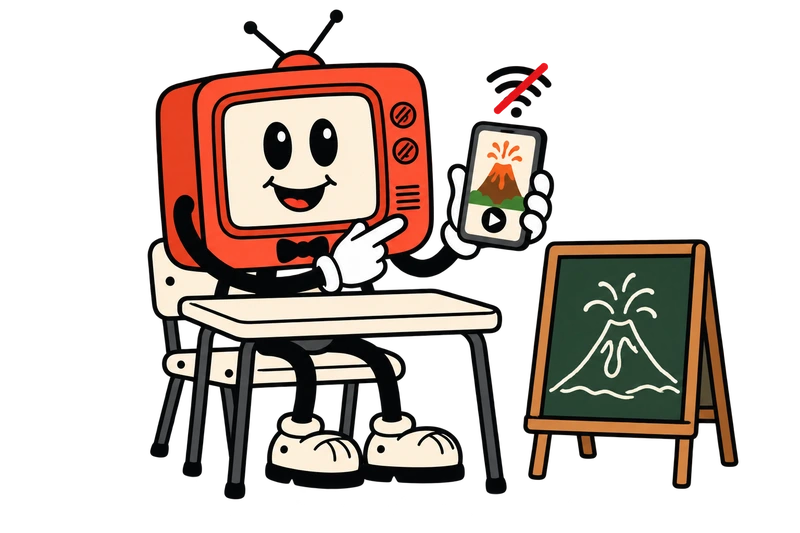
Show a YouTube video in class without the internet

A four-minute clip of a volcano erupting can carry a whole geography lesson, if the classroom Wi-Fi holds up for all four minutes. Paste the link at home the evening before. In class the MP4 plays from the laptop itself, and the network can do whatever it likes.

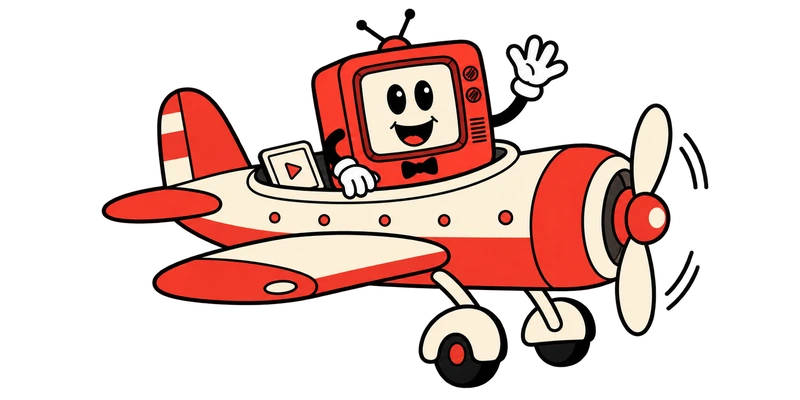
On a plane without Wi-Fi

Nine hours in the air, and the onboard Wi-Fi costs more than the sandwich. Two 40-minute lectures saved at 720p look sharp on a phone and take far less room than 1080p.

Streaming needs a signal for every second of the video. A downloaded MP4 needs one for about as long as it takes to save.

YouTube MP4 quality: 1080p, 720p or 360p

Pick your picture.

Once a YouTube link is in the box, three sizes appear under it. Here they are side by side, at their real proportions.

Picture size

1080p Full HD

1920 × 1080 pixels

The default, if you leave the choice alone. It fills a laptop or TV screen properly, and it's encoded as H.264, so even older phones play it.

Why the knob stops at 1080p. Above that, YouTube only offers its videos in newer formats that plenty of devices, older iPhones among them, can't play smoothly. At 1080p the MP4 plays everywhere, so that's where we stop. A video uploaded smaller comes out at the biggest size it has.

How to download YouTube Shorts

Tall stays tall.

In the Shorts player, Share sits in the column of buttons on the right. Tap it, choose Copy link, and the download box on this page takes it from there.

The MP4 keeps the upright shape it was filmed in, so it fills a phone screen and, once it's saved to the phone, sits there like a clip you shot yourself.

Turning a YouTube video into an MP3

Switch the option under the box from Video to Audio only, then press Download. You get an MP3 of the soundtrack: a talk for the commute, or your nan's choir for the car. It's made from the audio YouTube streams, so it won't sound better than the video does, and MP3 is the only audio format on offer.

No sound does the opposite: the picture, with the audio track left out.

Save YouTube videos to your iPhone, Android or PC

First stop: Downloads.

iPhone
Android
PC
  1. iPhone and iPad

    Your camera roll won't show it straight away. Downloads from Safari go to the Files app, in the Downloads folder; open the MP4 there, tap Share, and Save Video copies it into Photos.

  2. Android phones and tablets

    Chrome, like most Android browsers, saves to the Download folder. Your gallery normally spots the video on its own; failing that, look in its Download album.

  3. PC and Mac

    Windows and macOS both put it in Downloads. Double-click and it opens in the player you already have, signal or no signal, or drag it into your editor to cut a clip from it.

When a YouTube video won't download

Six reasons for a no.

If the box turns a link down, the reason is almost always on this list.

  • Private videos. Only viewers the uploader invited can open them, and a link alone doesn't get you in.

  • Age-restricted videos. YouTube only plays these to viewers signed in as adults, so they stop here.

  • Members-only and paid videos. Those are for the channel's paying members.

  • Anything longer than an hour. Sixty minutes is the cap, so a full concert or a long podcast episode gets turned away.

  • Playlists and channel pages. One video per paste. Open a video and copy its own link.

  • Removed or blocked videos. If YouTube has taken it down, or blocks it in some countries, there's nothing at the link to fetch.

A countdown in the box is something else: the limit of five downloads an hour and ten a day, with the clock showing when your next one frees up. Links that failed never used one up, and a link you saved less than 30 minutes ago can go in again for free.

Is downloading from YouTube legal and safe?

Questions, every half hour.

  1. 7.00

    What do YouTube's terms allow?

    Current affairs

    Downloads only where YouTube itself offers a download option, or where YouTube and the rights holder have agreed. Whether keeping a copy is legal beyond that depends on the video and on the country you're in, so we won't give you a blanket yes. 9vids is meant for personal offline copies of public videos you're entitled to keep, such as your own uploads, Creative Commons videos or a lesson its creator is glad to see shared. Putting another creator's video back online needs their permission.

  2. 7.30

    Is 9vids safe to use?

    Consumer advice

    You don't install anything or sign in, so there's no password here for anyone to take. The video goes via our server straight to your device, and no copy stays behind; the save link stops working after about 10 minutes. Any download site that asks for your Google password, or pushes you to install something, is one to leave.

  3. 8.00

    Isn't this what YouTube Premium does?

    Documentary

    Not quite. Premium, and the Download button YouTube shows on some videos in some countries, keep the copy inside the YouTube app, and it only stays if you go back online every so often: every 29 days, or every 48 hours in some countries. An MP4 from here is an ordinary file that any player opens and that stays until you delete it. For a bus ride on the same phone, YouTube's own button does the job.

  4. 8.30

    Can I use a clip in my own video?

    Arts

    For an edit that stays on your own drive, yes. If it's going public, ask the creator first and credit them. A credit on its own doesn't make reuse OK.

  5. 9.00

    Will the ads end up in the file?

    Factual

    No. YouTube serves its ads apart from the uploaded video, so they don't end up in the MP4. A sponsor message the creator recorded into the video stays, because it's part of what they uploaded.

  6. 9.30

    What's the ?si= bit on my link?

    Mystery

    YouTube adds it to shared links so it can tell where a share came from. The video doesn't need it, so the box tidies it away and says so under the field.


That's the show.
Same time tomorrow?

Formats
MP4 video in 1080p, 720p or 360p, or MP3 audio
Works with
Public YouTube videos and Shorts, up to an hour long
Limits
5 downloads an hour and 10 a day for each visitor, with failed links and 30-minute repeats not counted.
Files kept
None. A save link lasts about 10 minutes, then it's gone.
Costs
Nothing. No sign-in, no app.
Affiliation
9vids isn't made by or connected to YouTube or Google.
en